App Store listings, done in minutes.
Drop in your screenshots, pick a template, add headlines and device frames, and export every iOS App Store & Android Play Store size as crisp PNGs. No accounts, no uploads — it all happens locally.
Free v1 · No sign-up · Works offline once loaded
Raw screenshot

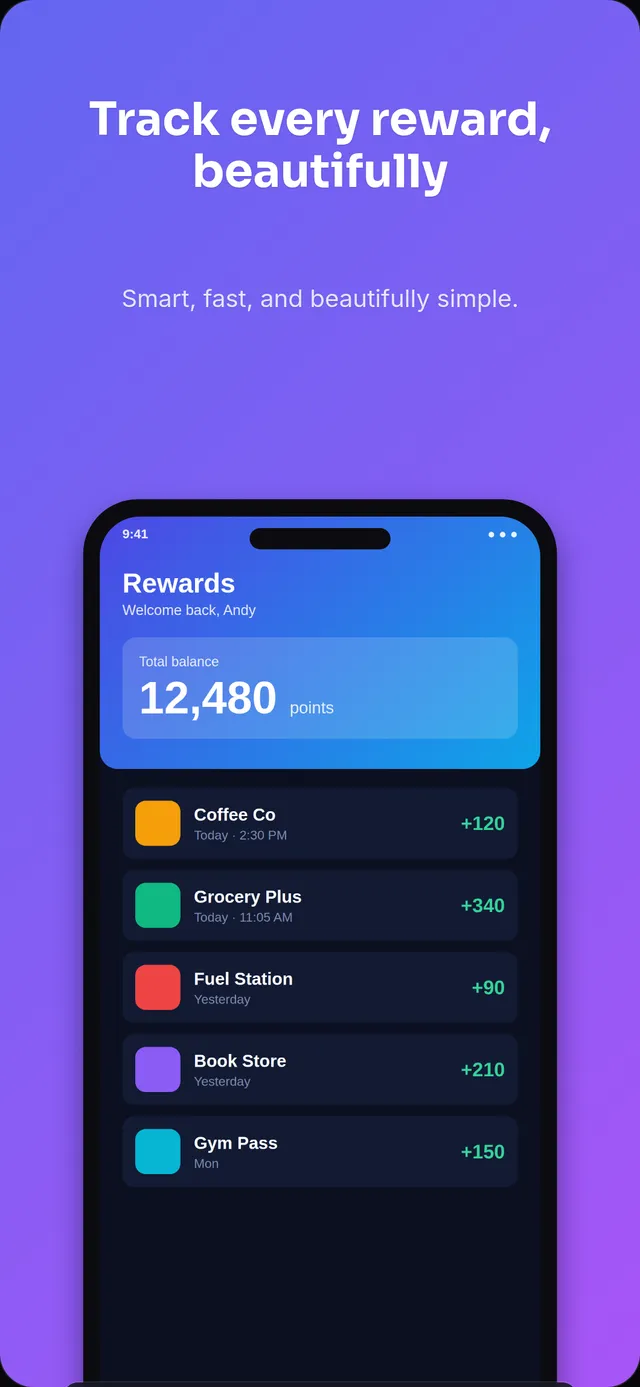
Crafted in ListingsCraft
Everything you need to ship a great listing
Built for indie developers and teams who want store-ready assets without a designer or a subscription.
Every store size
iPhone 6.9"/6.5"/5.5", iPad, Android phone & tablet, the 1024×500 feature graphic, macOS, Vision Pro, and social cards — exact pixel dimensions, every time.
Designer templates
Polished, on-brand layouts defined in a normalized coordinate space, so one template scales cleanly across portrait and landscape sizes.
Crisp device frames
Drop screenshots into iPhone, Android, and tablet frames — masked perfectly into the screen cutout, crisp at any resolution.
Headlines that pop
Pick fonts, sizes, colors, and alignment. Drag text and devices right on the canvas to place them exactly where you want.
One-click export
Multi-select your target platforms and download every size as one tidy ZIP of PNGs, organized by screen.
Private & offline
All compositing runs in your browser. Your screenshots never touch a server — and your project autosaves locally.
See what you can make
Complete five-screen listings, rendered by the same engine that powers your exports. Pick a set, drop in your screenshots, and ship.
Or start from a single design
A single screen from a template — tap one to open it and tweak.
Three steps to store-ready
Upload screenshots
Drag in one or many raw app screenshots. Nothing is uploaded — they stay on your device.
Style your listing
Pick a template, write your headline, choose a background and device frame, and tweak to taste.
Export every size
Select the platforms you need and download a ZIP of pixel-perfect PNGs, ready to upload.
Your screenshots never leave your machine
Unlike server-based tools, ListingsCraft composites everything in your browser. That means real privacy, instant exports, and zero upload wait — even for large, high-resolution screenshots.
Open the editorFrequently asked
Is it really free?+
Yes. The v1 editor is free and runs entirely in your browser — no account required.
Do my screenshots get uploaded anywhere?+
No. All image compositing happens locally in your browser. Your screenshots never leave your device.
Does it work for both iOS and Android?+
Yes. ListingsCraft builds listing assets for both the iOS App Store and the Google Play Store — iPhone and iPad sizes for Apple, plus Android phone, tablet, and feature-graphic sizes for Google — from the same screenshots.
Which sizes can I export?+
iOS (iPhone 6.9"/6.5"/5.5", iPad 13"), Android (phone, 7" and 10" tablets, feature graphic), macOS, visionOS, and social/promo formats.
What size are App Store screenshots?+
For iPhone, the App Store accepts 1290×2796 (6.9″), 1242×2688 (6.5″), and 1242×2208 (5.5″); for iPad, 2048×2732 (13″). ListingsCraft exports each at exactly those pixel dimensions.
What are the Play Store feature graphic dimensions?+
The Google Play feature graphic is 1024×500 px — the banner shown at the top of your store listing. ListingsCraft generates it alongside your phone and tablet screenshots.
Do I need separate iPhone and iPad screenshots?+
Yes. The App Store treats iPhone and iPad as separate display types — iPhone uses a 6.9″/6.5″/5.5″ portrait size and iPad uses 2048×2732 (13″). ListingsCraft renders the same design into each from one template.
Will my work be saved?+
Yes. Your project autosaves to your browser (localStorage + IndexedDB). Reopen the editor to pick up where you left off.